Screenwriting workbench · desktop

From the first line
to the first day.

From the opening line of the premise to the last call sheet before the first day of shooting — story development, professional formats, AI collaboration, breakdown, scheduling and storyboarding: eight stages of creation held in a single document. The desktop version is entirely free, carries no subscription, and every project file stays on the local disk.

macOS beta available  |  Windows in preparation  |  iOS / iPadOS planned

Story Singularity: reels of film converging into a glowing singularity

WORKFLOW

Eight stages, one pipeline

One flow of stages runs through the whole of the work: writing and production no longer live in two applications and two files.

  1. 01

    Story

    Title page · premise · lore library

  2. 02

    Plot

    Beat board · storylines · episode planning

  3. 03

    Cast

    Character library · relationship map · screen-time data

  4. 04

    Script

    Text · cards · cut canvas · interactive
    Four lenses on one screenplay

  5. 05

    Storyboard

    Shot list · AI shot continuation

  6. 06

    Breakdown

    Breakdown library · AI auto-breakdown · reports

  7. 07

    Production

    Auto-scheduling · call sheets · budget · difficulty

  8. 08

    Export

    Delivery · printing from the proof station

TYPOGRAPHY

Format is a screenplay's manners

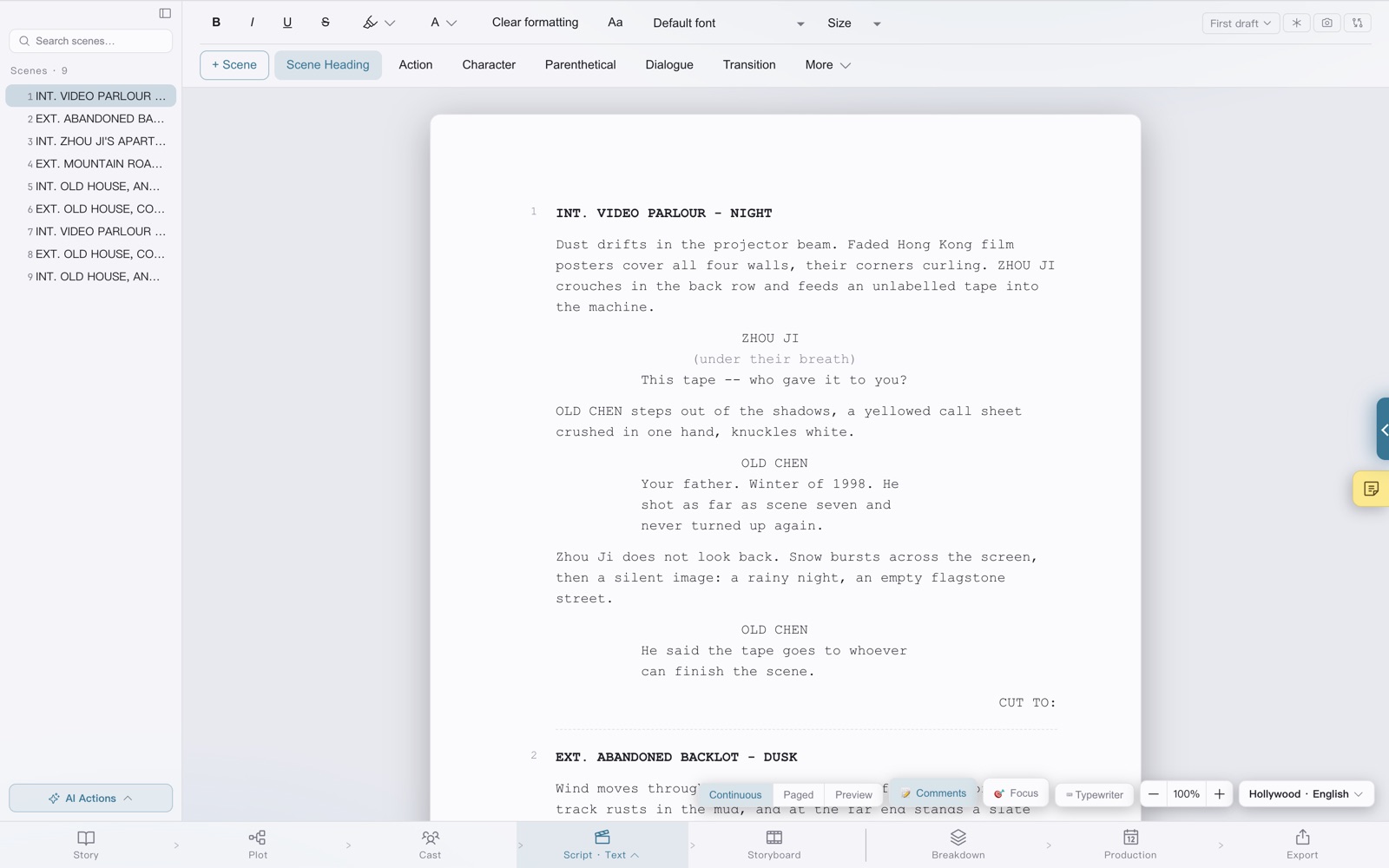
Hollywood · English / Hollywood · Chinese / Chinese · Literary / Stage Play / Vertical Short Drama — five formats, switched in one step. Text can be typed straight onto the page, and content reflows and repaginates as it is entered. The page below was typeset by the software itself, in the Hollywood · English format:

1   INT. STUDIO - LATE NIGHT

A SCREENWRITER stares at a blinking cursor. The desk is buried under scene reports, character bios, and a seventh-draft outline. Three application windows overlap, and none of them knows the others exist.

Screenwriter
(rubbing their eyes)
Story, cast, breakdown, schedule -- can't all of it be written in one place?

The screen brightens. Inside a lake-blue glow, reels of film draw together and wind into a quiet singularity.

Story Singularity (V.O.)
It can. From the first line of the premise to the last call sheet before the first day of shooting.

The screenwriter leans in. The cursor settles into SCENE 1.

2   INT. THE SAME STUDIO - THREE MONTHS LATER

An auto-generated shooting order hangs on the wall. The screenwriter closes the laptop, takes a coat, and walks out.
Shooting starts today.

1.
CAPABILITIES

Writing on the front, production on the back
two sides of one sheet

01Story development

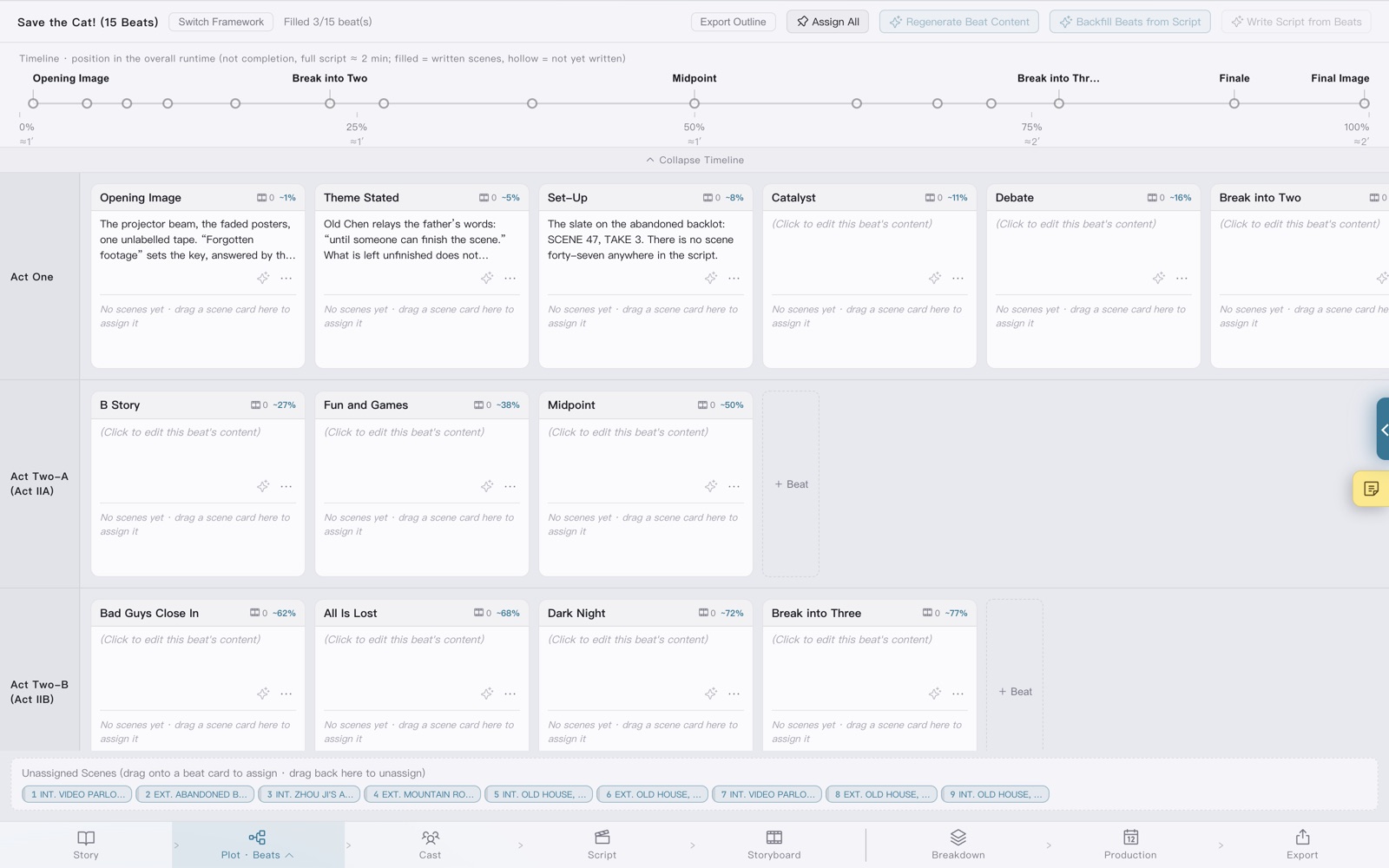
Save the Cat! (15 beats), the three-act structure, Qi-Cheng-Zhuan-He, the eight-sequence method, the Hero's Journey and the Story Circle — six beat frameworks serve as a structural skeleton, and beat cards can be dragged to and from the script text in both directions. Character files carry a three-layer core of want, need and lie; the relationship map lays itself out; the screen-time ranking and appearance timeline are compiled from the script as it is written.

  • Beat board
  • Storylines
  • Character core
  • Relationship map
  • Episode planning

02AI collaboration · bring your own key

Ten Chinese providers are supported — DeepSeek, Qwen, Kimi, Zhipu GLM, Doubao, Baidu ERNIE, Tencent Hunyuan, iFlytek Spark, MiniMax and SiliconFlow — alongside a custom endpoint and a local Ollama instance. Every one of them uses the user's own API key and connects from the local machine straight to the provider, never through us. The premise, lore entries and character bios are injected into each generation request, so the model works from the settings that already exist rather than inventing its own.

  • BYOK direct connection
  • Prose into format
  • Continue · rewrite
  • Whole-script review
  • Local models

03Production toolchain

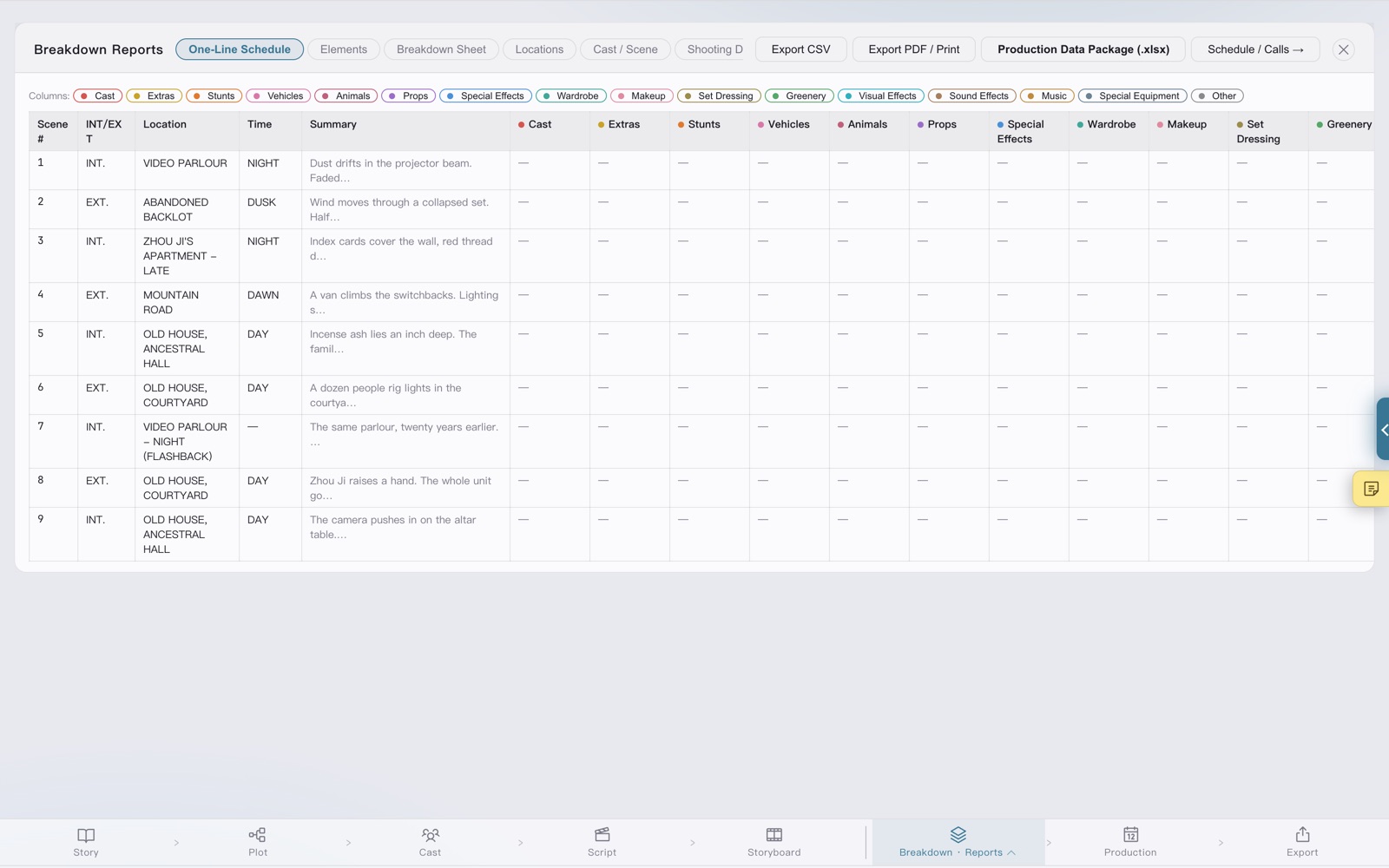
Props, wardrobe and vehicles named in the script can be tagged into the breakdown library in one step, and the report family outputs breakdown sheets and the Production Data Package directly. Location-first auto-scheduling produces the shooting order and the Day Out of Days (DOOD); call sheets, the budget worksheet and an AI shooting-difficulty assessment complete the desk work that has to be done before the first day.

  • AI auto-breakdown
  • Auto-scheduling
  • Call sheets
  • DOOD
  • Difficulty assessment

04Interactive film · branching narrative

Choices and branches are written directly into the script text, and the branch canvas shows every path an interactive title can take. A state layer brings variables, conditions and ending logic into the screenplay itself — state is annotated in the text, conditional branches are edited on the canvas, and the path walkthrough plays any single narrative line and exports it for review. A finished linear screenplay can also be converted into an interactive structure in one step.

  • Branch canvas
  • Variables and conditions
  • Path walkthrough
  • Linear ⇄ interactive
  • ink export

05The screenplay stays with its author

No account, no cloud, no subscription — a project is one .xmqd file on the local disk. FDX, DOCX, PDF, Fountain and ink import and export freely; xlsx reports and the shooting package ZIP are delivered in a single pass. AI calls happen only between the user and the model provider. No non-disclosure agreement is as sound as a screenplay that never left the machine.

  • Local file
  • Zero backend
  • FDX / DOCX / PDF / Fountain / ink
  • Shooting package ZIP
  • Free on desktop

ON SET

Where the page ends, the set begins

A screenplay is not signed off inside an editor. It is signed off at the first call time before dawn. Breakdown sheets, the shooting order, call sheets — the more exact the desk work, the less waiting on set.

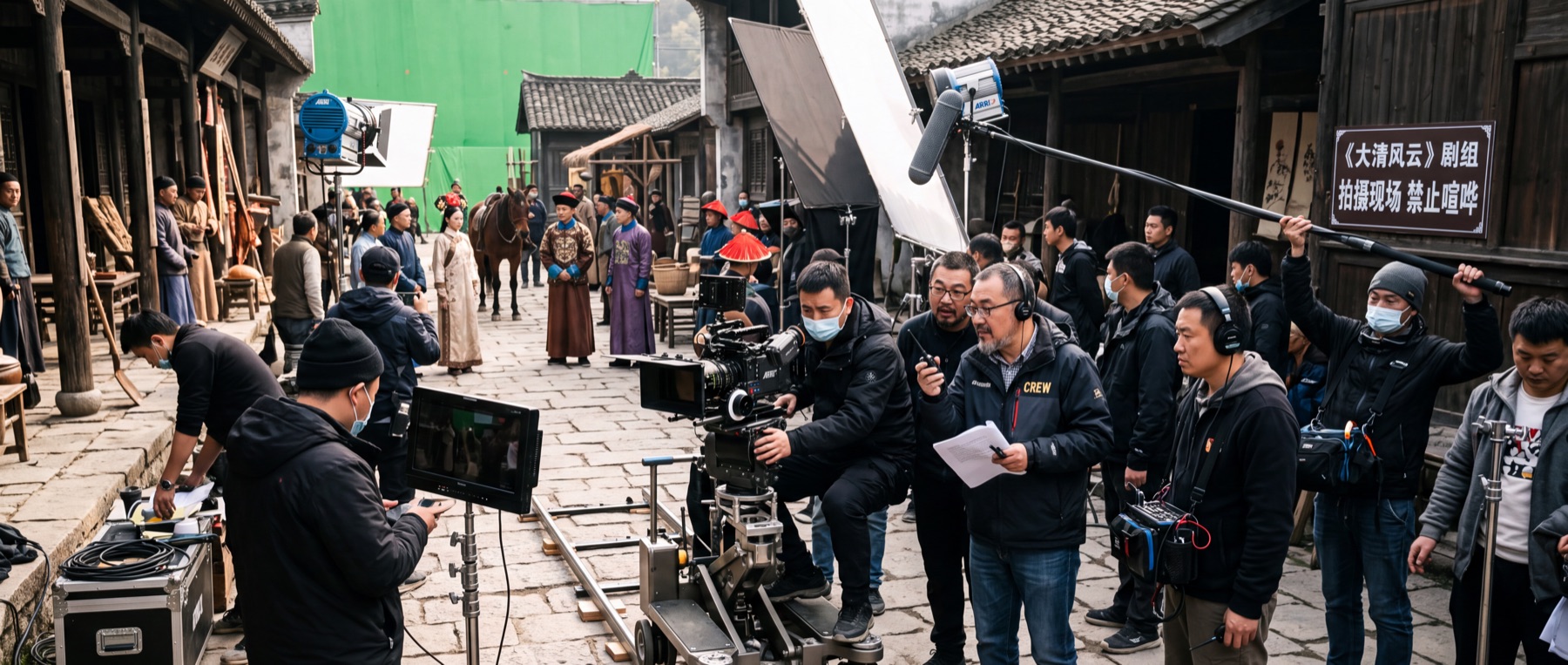
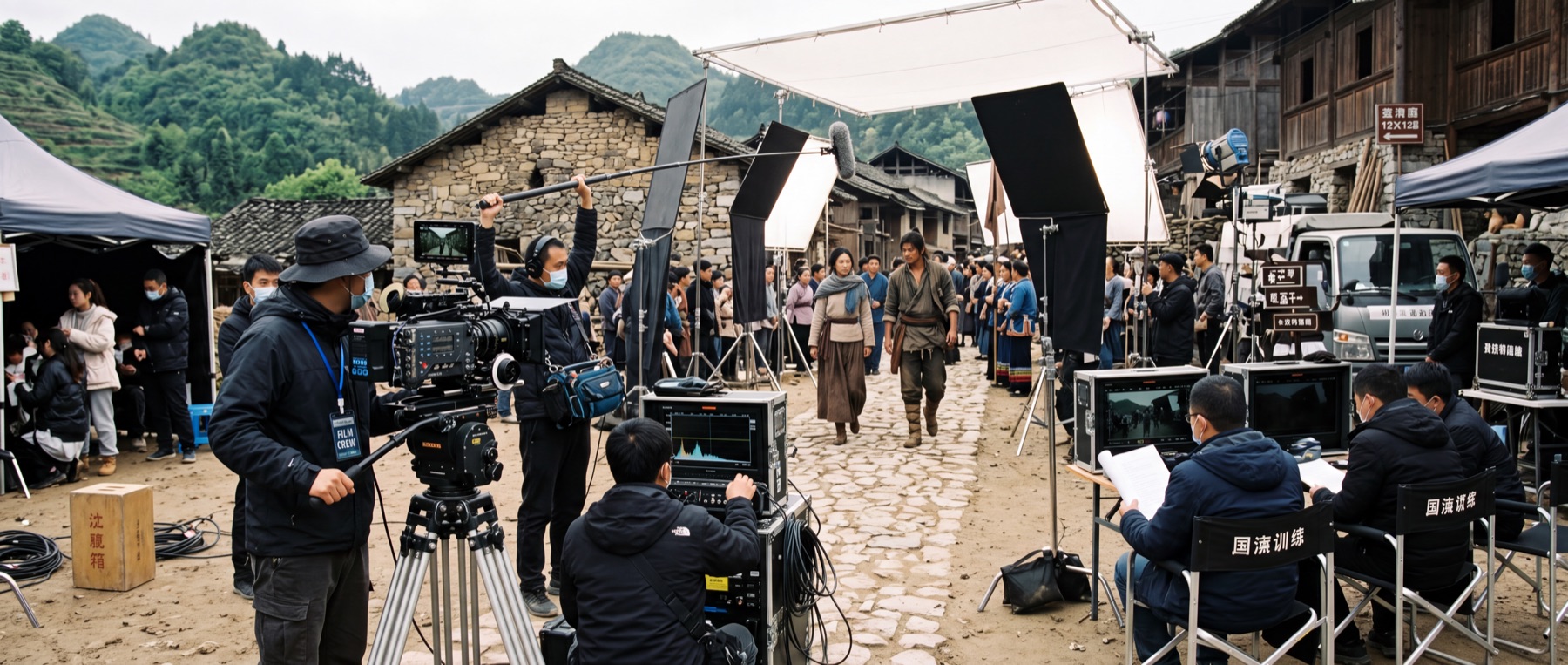
Exterior location: camera, reflector and monitor set up along a stone path, with an actor blocking a scene at the village entrance
EXT · DAY Scenes, props, background actors, weather windows — every item of an exterior day matches a row on the breakdown.
Period-drama location: a camera on a dolly track, a green screen and the directing team, with a slate carrying the production name and a quiet-on-set notice
PERIOD · LARGE UNIT A large unit leaves no room for inexact paperwork. Locked scene numbers, coloured revision pages, A-pages and OMITTED all exist for this moment.

Illustrative set photography, not software screenshots.

GET IT

How to start writing

Desktop

Public beta 0.6.28 · macOS

The macOS build is available now, entirely free, with no features withheld and no subscription. Once installed, new versions can be downloaded and installed from Help → Check for Updates inside the software. The Windows build is still in preparation.

This is a beta. The features are complete but still under verification, and problems may occur. Keeping a separate backup of project files is advisable; reports are welcome through the feedback page. Unsure which build? Macs sold after 2020 are almost all Apple silicon.

iOS / iPadOS

Planned

The port will begin once the desktop version has settled. It is planned for release on the App Store as a one-time purchase, with no subscription.

App Store · planned

Support the project

Afdian

The software is provided free of charge; the development behind it is not. Sponsorship is welcome from anyone who finds the software useful in their work.

How sponsorship works ↓