
WHAT’S NEW
New tools for the next scene.
A closer look at selected features, from tools available today to work in progress. Each feature includes its current status and an actual screenshot.
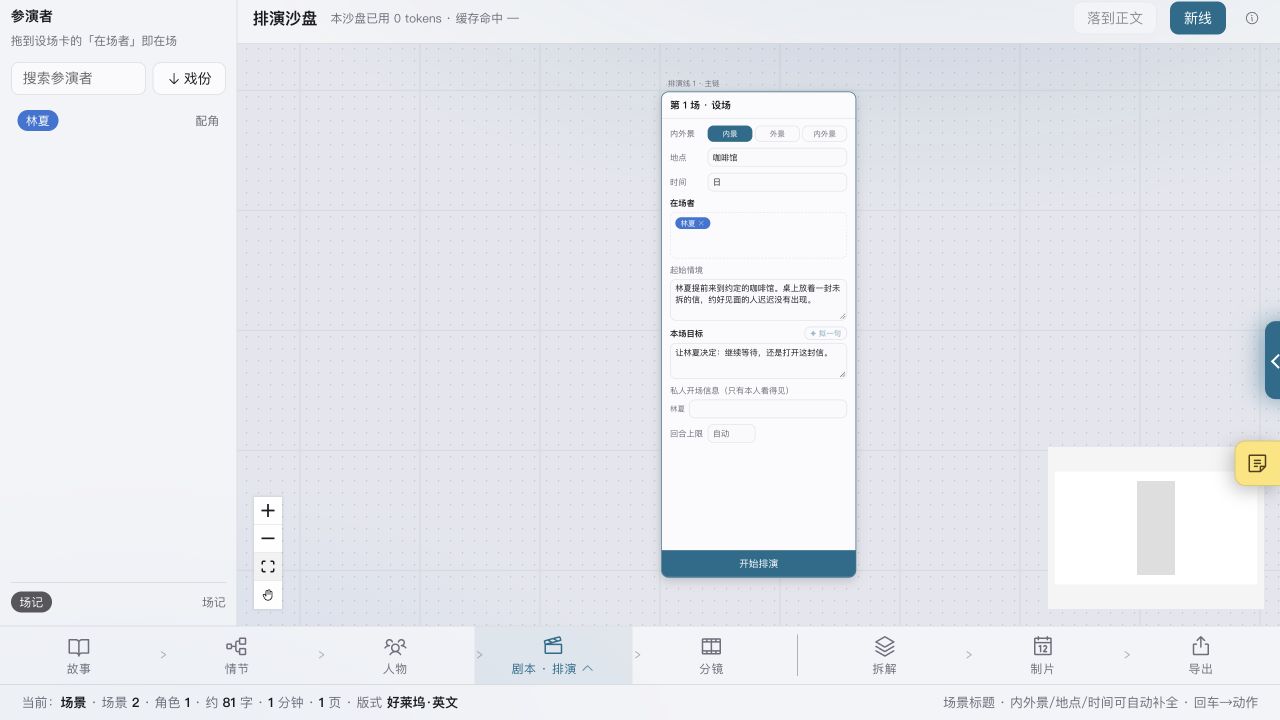
Rehearsal Sandbox
Let the characters play out a scene before writing it.
Set the location, cast and opening situation. Each AI character acts from their own background and memories, while a script supervisor resolves the outcome of each round. A completed scene can then be brought into the screenplay.
Currently in development and testing. The interface may change. Rehearsals require a configured AI service and use more tokens than other AI features.
Scene backups
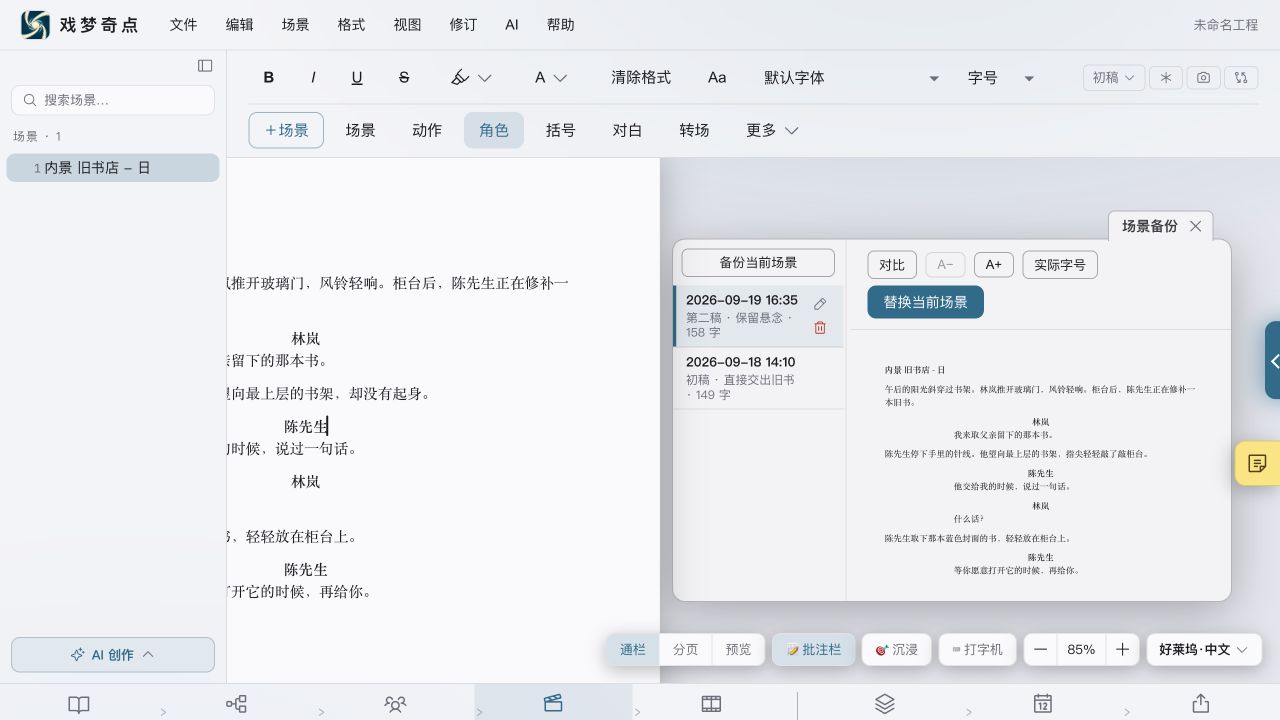
Keep alternative versions of a scene within reach.
Save a backup of the current scene before revising it. The backup card lists versions by time, with a preview beside the screenplay and a comparison of changes. A selected backup can replace the current scene, and each backup can be named to distinguish different drafts.
Entry: right-click in the screenplay to back up the current scene or view its backups. Existing backups can also be opened from the paper stack beside the scene. The screenshot uses fictional sample content; appearance may vary by version and theme.
For changes by release, see the release notes. Get the desktop app →